



Teddyslot App
The Teddyslot app gives you quick access to the mobile casino on any device. Through the app, you can easily play any game from our library. Players also have access to all the same features as in the desktop browser version.



What the Teddyslot Application Is
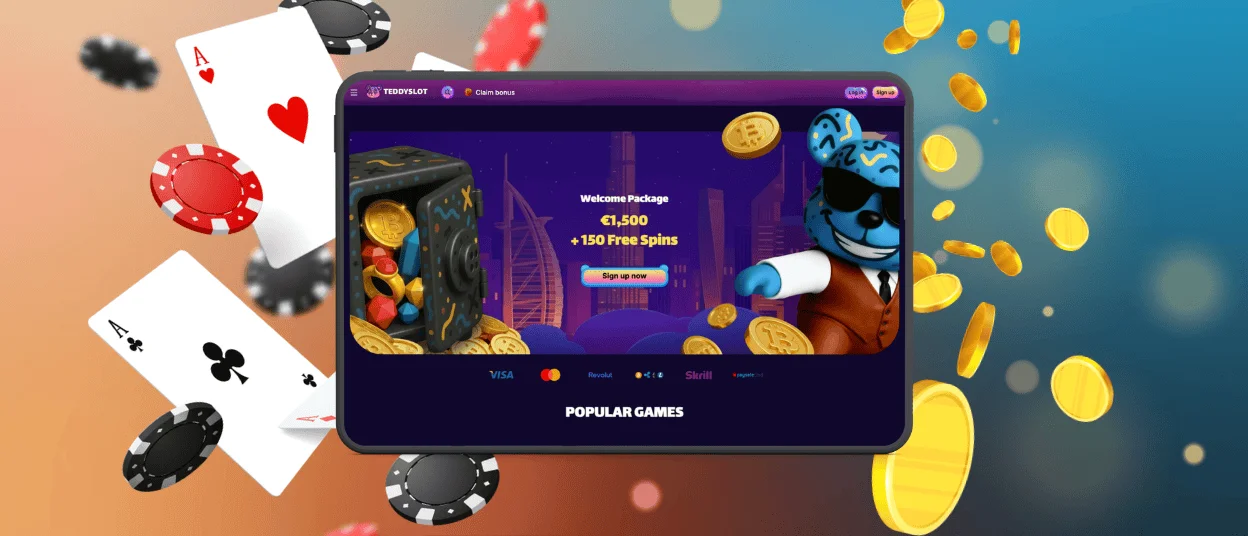
The Teddyslot app works as a browser-based solution with an app-style interface. There is no need to download heavy files from app stores. You can open the platform through the official website and save it as a shortcut on your device. This approach keeps access fast and makes all updates automatic.
The Teddyslot Casino keeps everything in one place. Your account, games, and settings stay the same across all devices. You do not need to install separate software or learn a new interface when switching between desktop and mobile.
| Feature | How It Works |
| Access | Open via browser and save as a shortcut |
| Updates | Automatic, no manual downloads |
| Account Sync | Same profile on all devices |
| Interface | Same design in all versions |
Key Features of the Teddyslot App
Our software is designed for fast use on mobile devices. It keeps all main actions easy to reach and reduces unnecessary steps. The layout is clear, and all sections are structured for smaller screens. Players can move between games and other account functions.
The interface supports both short and long sessions. Game categories are easy to browse, and buttons remain visible at all times. Account tools and bonus sections are always accessible, so players can manage everything without extra navigation.
| Feature | Benefit |
| Navigation | Quick access to games and sections |
| Interface | Clean layout adapted for mobile |
| Game Browsing | Easy scrolling and category view |
| Account Access | Profile and settings are always available |
| Performance | Fast loading and smooth switching |
Teddyslot Application for Android
On Android, you can open the Teddyslot Casino site in any modern browser. Use the menu and add it to your home screen. The icon gives you quick access to your favorite online casino at any time. This method avoids third-party APK files and keeps everything safe. The shortcut opens the same game library, profile, and support tools. You get the same experience as on other devices with no extra steps.
Our app is a modern web-based progressive app (PWA). It always runs on the latest version of the Teddyslot app. It doesn’t require you to download or install any heavy software. There’s no need to search for the Teddyslot APK in app stores.
Teddyslot Application for iOS
On iPhone and iPad, the Teddyslot app works through Safari. The platform opens without extra browser elements, which makes navigation cleaner and faster. The layout is easy to use, and all controls remain visible on smaller screens.
This setup helps reduce extra steps. You get quick access to games, your profile, and support tools. The experience stays simple and consistent across sessions.
To install the Teddyslot app on iOS:
- For starters, you should open the Teddyslot website in Safari.
- Then you need to tap the “Share” button.
- After that, you are supposed to select “Add to Home Screen”.
- And finally, you should confirm by tapping “Add”.

Desktop and Cross-Device Use
Mobile access is convenient, but a desktop has its own advantages. Teddyslot Casino works on modern browsers for Windows and macOS. It gives players a larger game library view, more space for live games, and easier reading when checking profiles, terms, or browsing in detail. This makes the desktop ideal for longer sessions or careful account management.
The platform is flexible because a single profile works across phone, tablet, and desktop. Players do not need separate accounts or setups for each device. This creates a consistent experience while keeping mobile as the quicker option for fast access throughout the day.
| Device route | Best starting point | Main advantage | Best for |
| Android phone | Chrome or another modern browser | Fast shortcut setup and one-tap return, notifications | Quick daily access and short sessions |
| iPhone / iPad | Safari | Stable home-screen shortcut and cleaner app-style view, notifications | Simple navigation, quick access |
| Windows laptop or PC | Chrome, Edge, Firefox, or another updated browser | Larger display, clearer multi-window use, notifications | Longer sessions and detailed account tasks |
| macOS | Safari, Chrome, or Edge | Easy shortcut access, notifications | Browsing, live games, and profile management |
Security and Stable Use
Security matters just as much as convenience. The safest route is always the official site, not a third-party file that promises a faster or “full” installation. Teddyslot Casino should work through the brand’s official website, and players should avoid downloading unknown app packages from outside sources.
Stable use also depends on a few simple habits. A modern browser, a steady connection, and a clean shortcut setup solve many routine issues before they grow. The Teddy Slot app works more reliably when the user treats it like an account tool and not like an anonymous shortcut on a shared device.
Useful Habits for Safer Mobile Access
- Use the saved shortcut only after opening the official site yourself
- Keep Chrome or Safari updated for better compatibility
- Log out after each session if the device is shared
- Avoid public Wi-Fi for account actions unless the connection is trusted
- Keep access to the registered email in case password recovery is needed
One Account Across Devices
One of the clearest advantages of the setup is simple: there is no need for a separate mobile profile. The same account can support phone, tablet, and desktop access, which keeps the experience more consistent. Balance, profile settings, history, and account tools remain tied to one place instead of being split across several versions.
That matters in real use because devices serve different purposes. A phone is better for quick entry. A tablet gives more space for browsing. Desktop works better when a player wants a larger live view or needs to review account details more carefully. The mobile route helps on the move, while the main account structure keeps everything connected across screens.

Frequently Asked Questions
Is the Teddyslot app a normal App Store or Google Play download?
No. The Teddyslot app works more like a browser-based shortcut with an app-style view than a classic store download. After you add it to the home screen, it opens quickly and feels closer to an application, but it still runs through the official web version. That is why the setup feels lighter and does not depend on a separate store release.
Do I need a separate account for the Teddyslot application?
No. You can use the same account on mobile and desktop. This keeps your login details, account history, and profile settings in one place and makes switching devices easier.
Can I remove the icon without deleting my account?
Yes. When you remove the shortcut, you only remove the icon from your device. The account stays active, the balance stays in place, and the profile history does not change. If you add the shortcut again later, you can sign in to the same account through the official site.
Why do many players use Safari on iPhone and Chrome on Android?
Those browsers usually show the home screen option more clearly and support the shortcut flow more reliably. They also tend to give a cleaner setup for a browser-based mobile platform, which reduces installation confusion and makes everyday access smoother on both systems.
Does the shortcut make games load faster?
Not in a major technical sense. The biggest gain comes from convenience, because you open the platform directly from the icon instead of finding the site again through a browser search. In practice, that makes daily access feel faster, while real game performance still depends more on the browser, the device, and the quality of the internet connection.


